Why private and local AI matter for document work
Documents often contain the working material of a project: research notes, draft reports, internal context, unfinished ideas, source files, and decisions that have not yet been shared.
For many people, the appeal of a private/local workflow is straightforward. They want document work to happen in a desktop workspace on their own Windows PC instead of defaulting to another browser tab or online chat.
That does not make every possible setup perfectly private or permanently offline. The core workspace runs on your Windows PC, while some surrounding services such as licensing, payment, updates, or support may still involve online connectivity.
The real problem: document work does not end at chat
A useful AI answer is rarely the finished output. A report may need several source-based answers. A brief needs structure. Research notes need to be selected and arranged. A draft needs editing and verification.
Chat can help with discovery, but document-heavy work continues after the answer appears:
- useful answers need to be kept instead of buried in conversation history;
- related outputs need to be collected around a document goal;
- source material and draft sections need a shared workspace;
- the document needs an order that makes sense to its reader;
- important claims need to be checked; and
- the reviewed result needs to become a Word or PDF file.
When a normal online AI chat is enough
A normal online chat may be the simplest choice when you need one short answer, a quick brainstorm, or general help that does not involve a larger file-based workflow.
You may not need a dedicated local workspace when:
- the task starts and ends with one response;
- you are not working from PDFs, notes, drafts, or reports;
- you do not need to collect answers over time;
- there is no larger document to assemble; or
- copying one small result into another tool is easy enough.
Local/private AI is not automatically the right answer for every prompt. It becomes more useful when the work involves files, repeated questions, saved outputs, and a document that needs to be finished.
When a local workspace makes more sense
A local document workspace makes more sense when your source material and output belong to the same ongoing project. You may return to several files, ask focused questions over multiple sessions, save selected answers, and build a draft section by section.
The value is not simply that an AI capability runs on your computer. The value is that the workspace supports the rest of the document process.
For researchers, writers, consultants, students, and knowledge workers, that can mean fewer scattered chat fragments and a clearer path from source material to a document.
A better workflow: files → questions → saved answers → document
A practical private/local workflow keeps the focus on the document rather than the underlying tooling.
- Attach source files. Bring in the PDFs, Word documents, notes, drafts, or reports relevant to the task.
- Ask focused questions. Explore the details, themes, comparisons, or sections that support your goal.
- Save useful answers. Keep the responses that deserve a place in your notes or draft.
- Collect related outputs. Group the saved material around the document and its sections.
- Assemble a real document. Arrange the selected material into a working structure.
- Edit and verify. Rewrite for clarity, check important claims against the sources, and apply your own judgment.
- Export to Word or PDF. Produce a practical file for further editing, sharing, or delivery.
This is the difference between local AI as a technical feature and local AI as a useful document workflow.
See the private/local document workflow
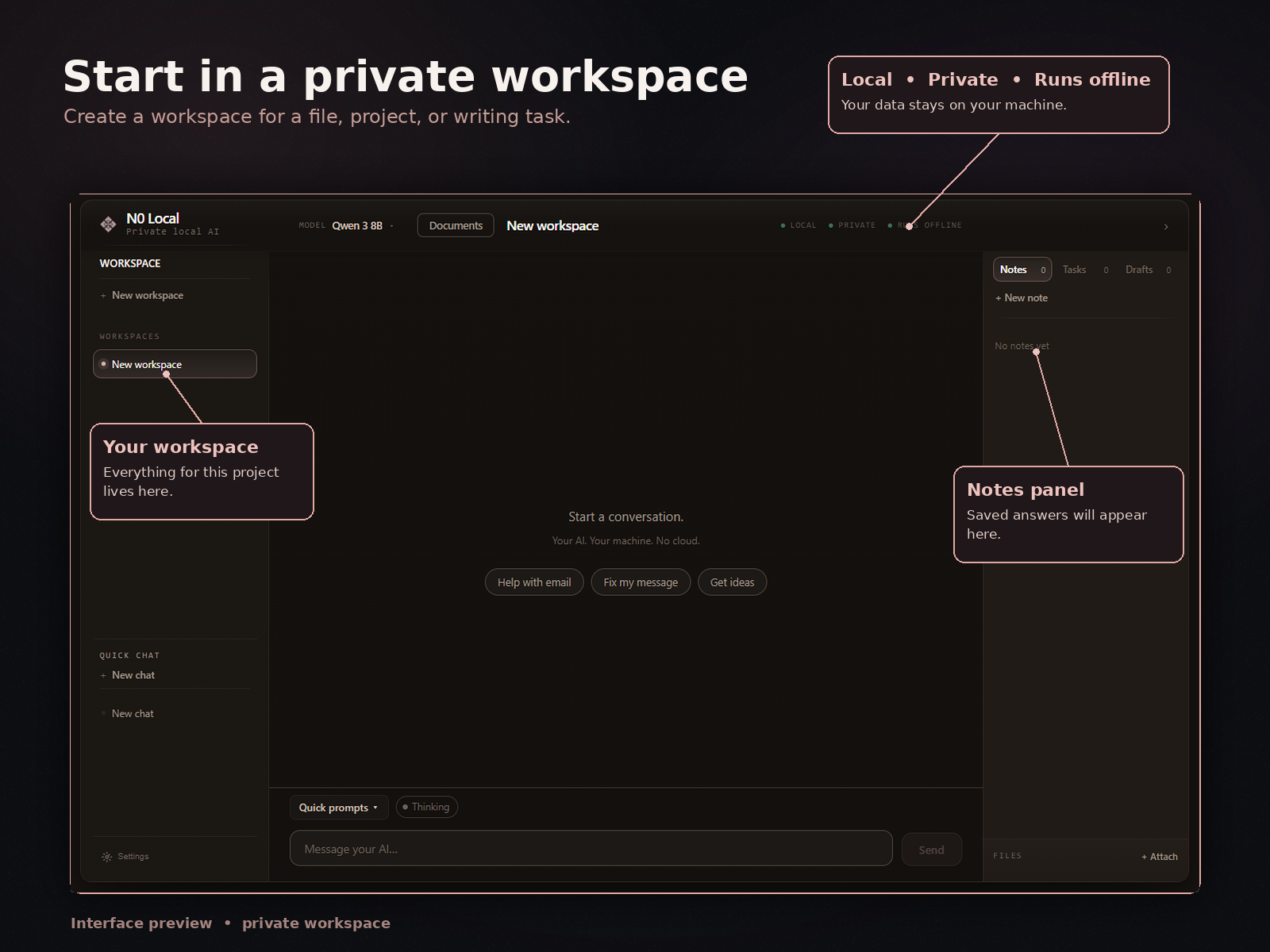
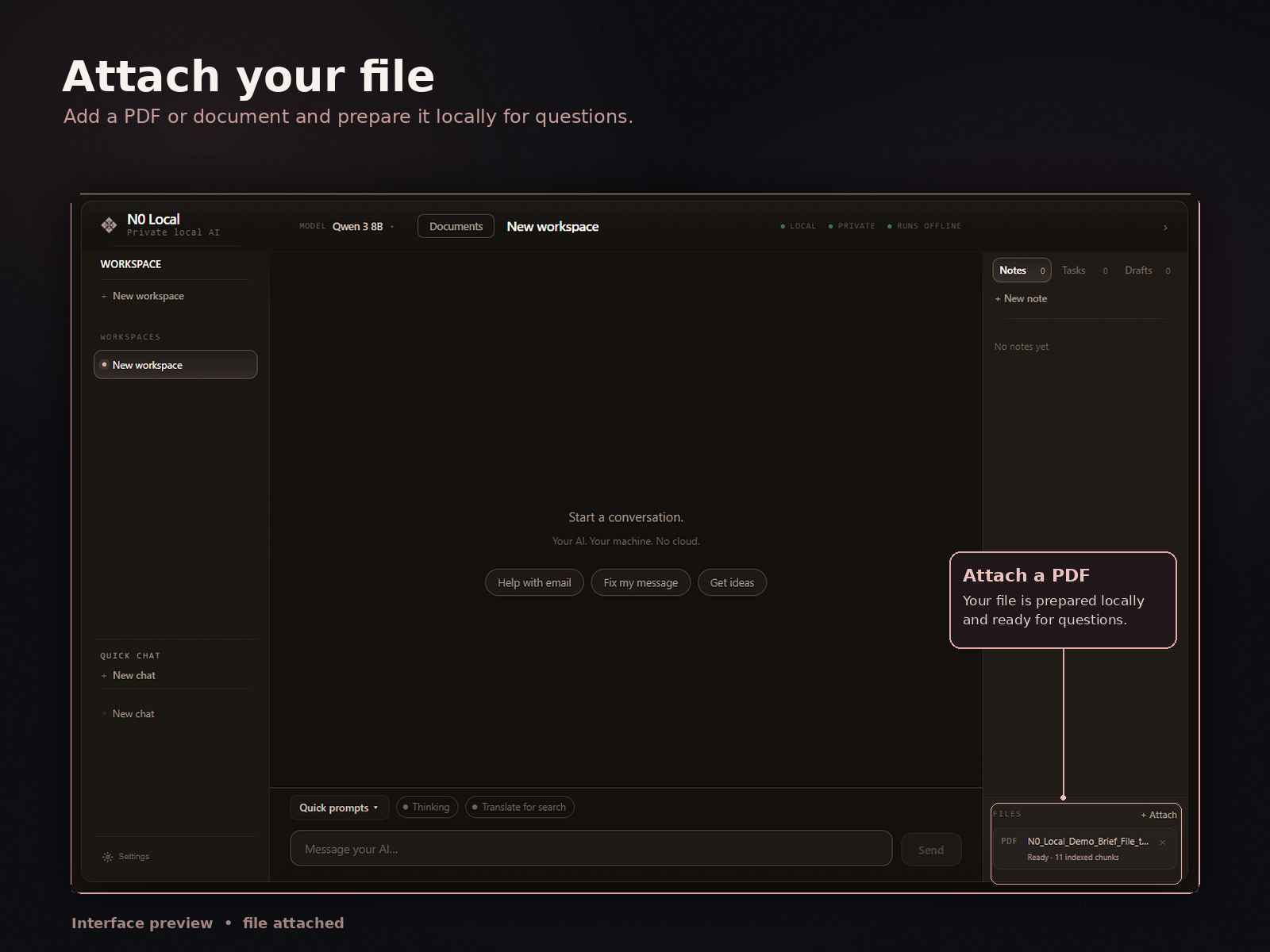
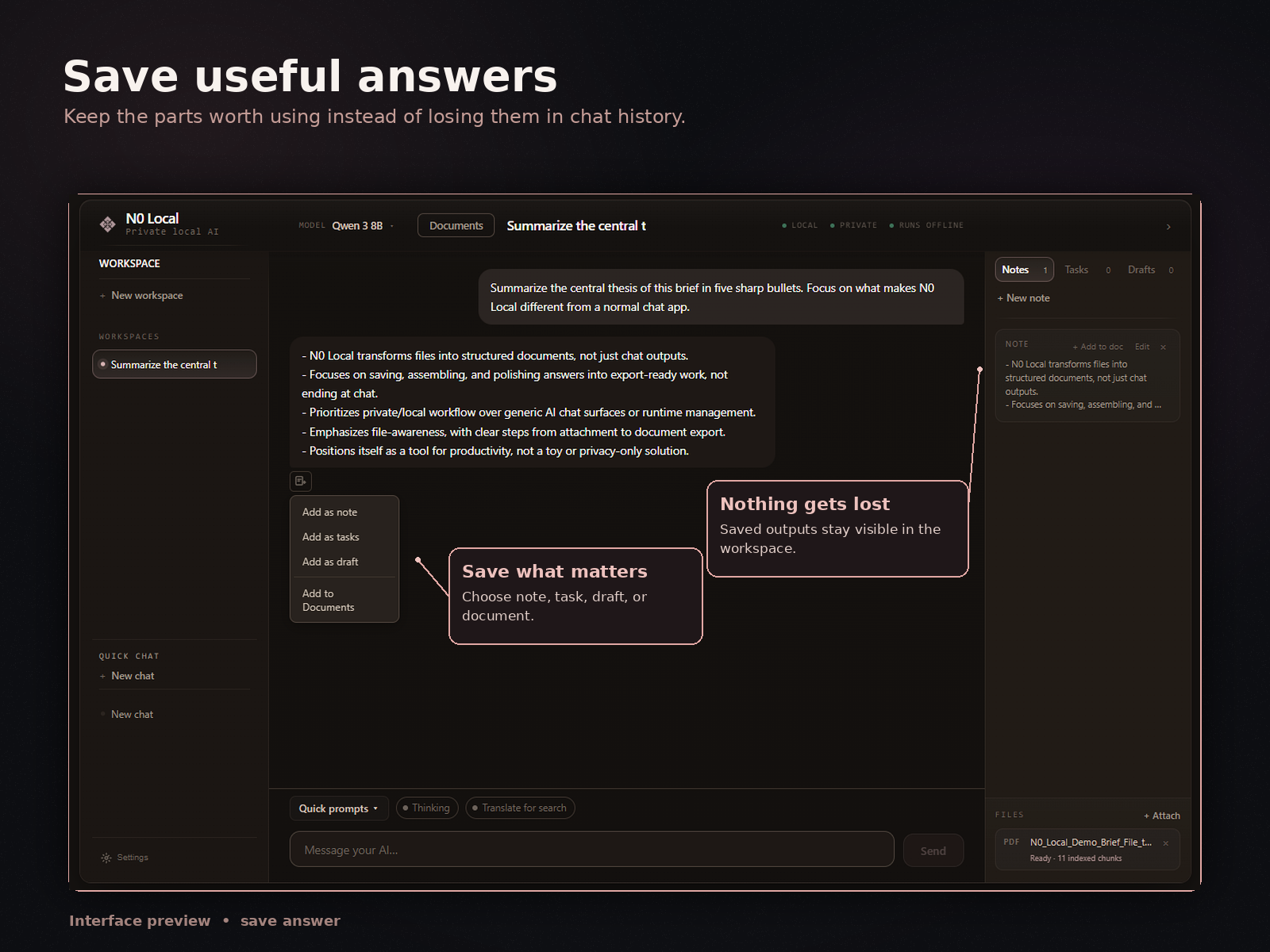
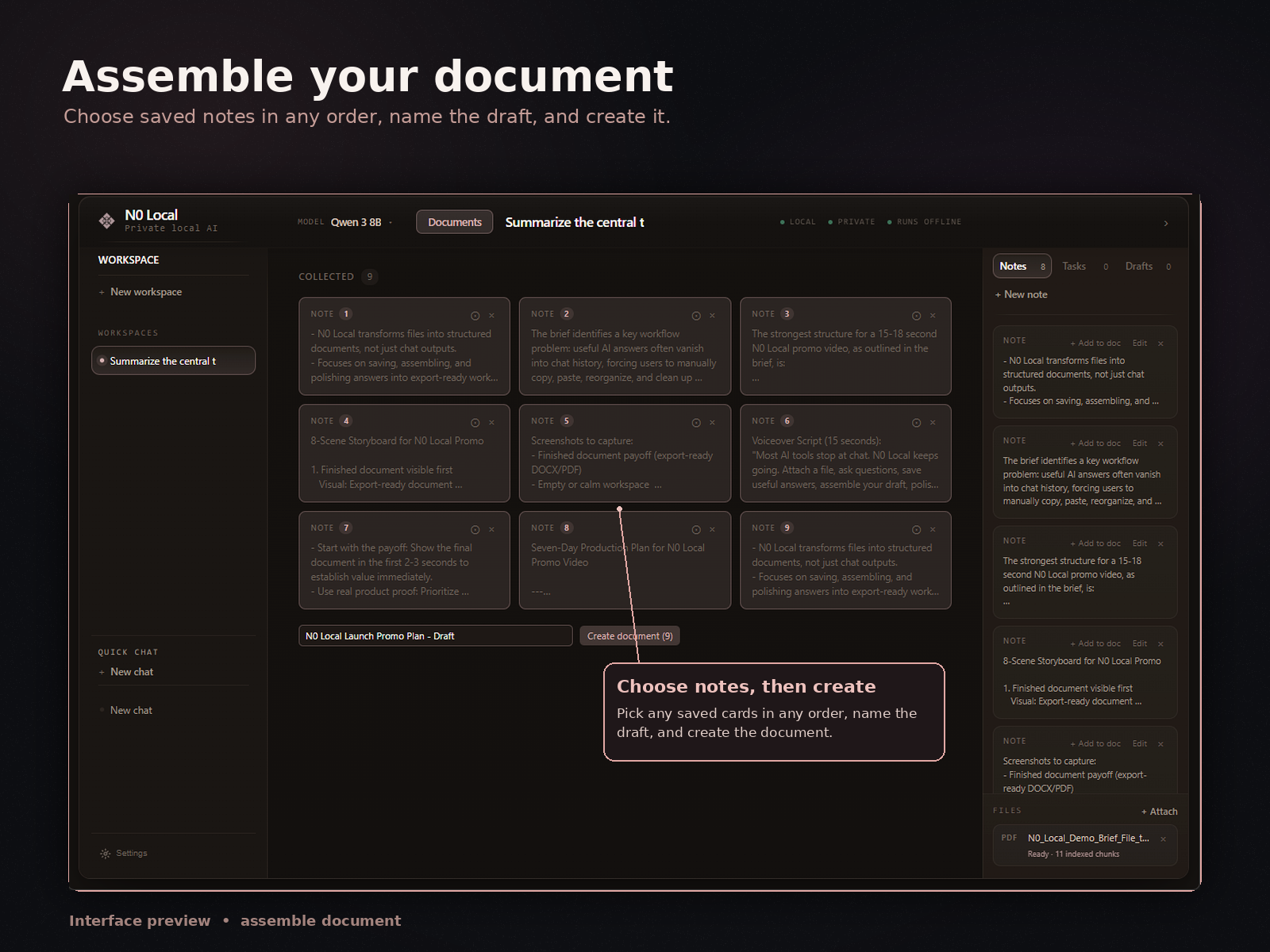
N0 Local keeps the workflow on your Windows PC: start in the workspace, attach source material, save useful answers, assemble the document, and export after review.
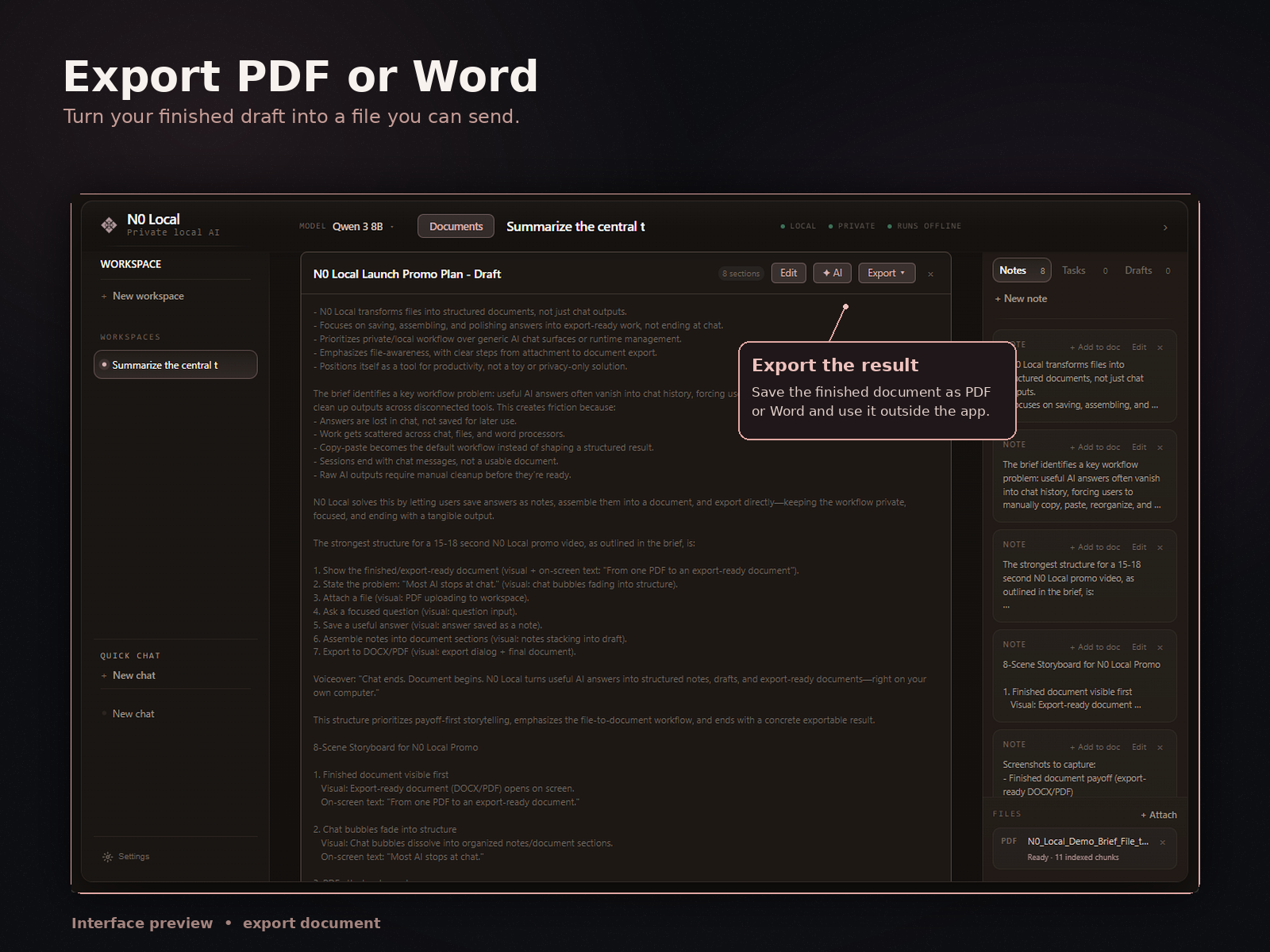
How N0 Local approaches private and local document work
N0 Local is a private local AI workspace for Windows. It runs on your Windows PC and is designed for document work on your own machine.
You can attach files, ask AI questions, save useful answers, collect saved outputs, assemble a real document, edit it, and export to Word or PDF. The workflow supports PDFs, Word documents, notes, drafts, reports, and other source material.
N0 Local does not automatically import ChatGPT or Claude history or capture answers from external chat apps. It is its own workspace for building documents from files and useful outputs.
Most AI tools stop at chat. N0 Local helps turn useful AI answers into real documents.
7-day free trial. No monthly subscription after purchase.
What N0 Local is not
N0 Local is not an Ollama wrapper. It is also not primarily an Ollama UI, local model manager, benchmark tool, developer playground, or generic chatbot, and it is not an online PDF chat tool.
Even when local AI or model integrations are part of a setup, N0 Local's product focus is the document workflow: files, questions, saved answers, document assembly, editing, and Word or PDF export.
If your main goal is comparing models, running benchmarks, or building developer infrastructure, N0 Local is not aimed at that workflow.
Useful private/local document workflows
This approach is most useful when the source material and final output need to stay connected:
- PDF research: ask focused questions, save useful findings, and assemble a summary or report.
- Notes to draft: collect research notes and saved answers, then arrange them into a working document.
- Reports and briefs: bring source files, analysis, and draft sections into one workflow.
- Document revision: work from an existing draft, identify gaps, and prepare a reviewed revision.
- Memos and summaries: select the material that matters for a particular reader and export it in a practical format.
Explore the related workflows for asking questions about PDFs, turning research notes into a draft, or turning AI answers into a Word document.
Honest limitations
“Local” and “private” should be understood carefully. N0 Local is built around a private/local workflow on your Windows PC, but that does not mean every surrounding service or every possible configuration is always offline. Licensing, payment, updates, or support may still involve online services.
Local processing also does not make AI output automatically accurate. N0 Local does not guarantee perfect writing, formatting, citations, or document interpretation.
Review, edit, and verify important facts, names, numbers, quotations, and conclusions before using or sharing the document. Your setup, source material, and choices still affect the result.
FAQ
What is local private AI for document work?
Local private AI for document work is a workflow designed to run on your own computer, where you can work with files, ask questions, save useful answers, and build documents. The core workspace runs on your Windows PC, while surrounding services such as licensing, payment, updates, or support may still involve online connectivity.
Can N0 Local help with PDFs, Word documents, notes, drafts, and reports?
Yes. N0 Local is designed for document-heavy work with source material such as PDFs, Word documents, notes, drafts, and reports.
Does N0 Local replace ChatGPT or Claude?
No. ChatGPT or Claude may be enough for general online chat. N0 Local is a separate Windows document workspace, and it does not automatically import history or capture answers from external chat apps.
Is N0 Local an Ollama UI or model manager?
No. N0 Local is not an Ollama wrapper or a local model manager. It is a private local AI workspace for Windows focused on document work: attaching files, asking questions, saving useful answers, assembling documents, editing, and exporting to Word or PDF.
Can I save AI answers and turn them into a document?
Yes. You can save useful AI answers in N0 Local, collect related outputs, assemble and edit a document, and prepare it for export.
Can I export to Word or PDF?
Yes. You can export an assembled document to Word or PDF for further editing or sharing.
Does private or local AI remove the need to review the output?
No. Local processing does not make an AI answer automatically accurate or complete. Review, edit, and verify important claims before using or sharing a document.
Use local AI to finish document work
Use N0 Local on your Windows PC to work with files, save useful AI answers, assemble a document, and export it to Word or PDF.
7-day free trial. No monthly subscription after purchase.