The problem is not getting an AI answer — it is using it
For a short answer, copying from chat into Word is fine. You ask for a paragraph, paste it into a document, and move on.
Document work usually does not stay that simple. You might ask ten questions about a PDF, generate several summaries, collect notes from different sources, or ask for an outline before rewriting parts of it yourself.
At that point, the useful output is no longer one answer. It becomes working material, and working material needs a place to live.
Why copy-pasting AI answers into Word gets messy
The copy-paste problem is not only the act of pasting text. It is everything that happens around it.
- Headings, bullets, and spacing need to be cleaned up by hand.
- Useful answers get buried in chat history after the conversation moves on.
- Repeated answers need to be stitched together into one structure.
- Source notes, draft sections, and side ideas become mixed together.
- Longer documents require constant manual rearranging.
- You lose track of which answer was actually worth keeping.
After a while, the chat becomes a scratchpad and Word becomes a cleanup zone. That can work for a quick task, but it does not scale well when the goal is a finished report, brief, essay, proposal, or technical document.
When simple copy-paste is enough
Sometimes the simplest method is still the right one. If you need one paragraph, one email reply, or one short explanation, copying the answer into Word or Google Docs may be completely fine.
You do not need a workflow for every small task. The problem starts when you are repeatedly moving useful AI output into a larger document and the cost shifts from copying text to managing structure.
When copy-paste becomes a workflow problem
Copy-paste becomes painful when the document has multiple sections, you are working from PDFs or notes, and you need to keep useful answers for later.
It also becomes a problem when you are turning research material into a draft, building a memo or report, or exporting something clean enough to edit and share.
A simple manual workflow if you are not using N0 Local yet
You can make the process more manageable without changing tools:
- Keep a scratch document for useful AI output.
- Paste only answers that are worth keeping.
- Add headings as soon as you save an answer.
- Group related outputs by document section.
- Move the final sections into Word.
- Review the content and clean up the formatting.
N0 Local is built to make this kind of workflow less manual by keeping saved answers, drafts, and export in one local workspace.
A better workflow: save first, assemble later
A cleaner workflow separates discovery from document assembly. Chat can help you think, explore, summarize, and draft pieces. The document needs structure.
- Ask questions. Use AI to explore your source material, clarify ideas, or generate draft sections.
- Save useful answers. Keep only the answers that are worth using later.
- Collect related outputs. Group summaries, notes, takeaways, and draft sections around the document you are building.
- Assemble a draft. Turn the saved pieces into a rough document structure.
- Edit the document. Review, rewrite, verify, and add your own judgment.
- Export to Word or PDF. Move the result into the format you need for editing, sharing, or delivery.
This keeps chat useful without making chat the final workspace.
See how saved answers become a draft
N0 Local's workflow is designed around the path from useful answer to working document. Save the pieces you want to keep, collect related outputs, assemble the draft, then export when it is ready for Word or PDF.
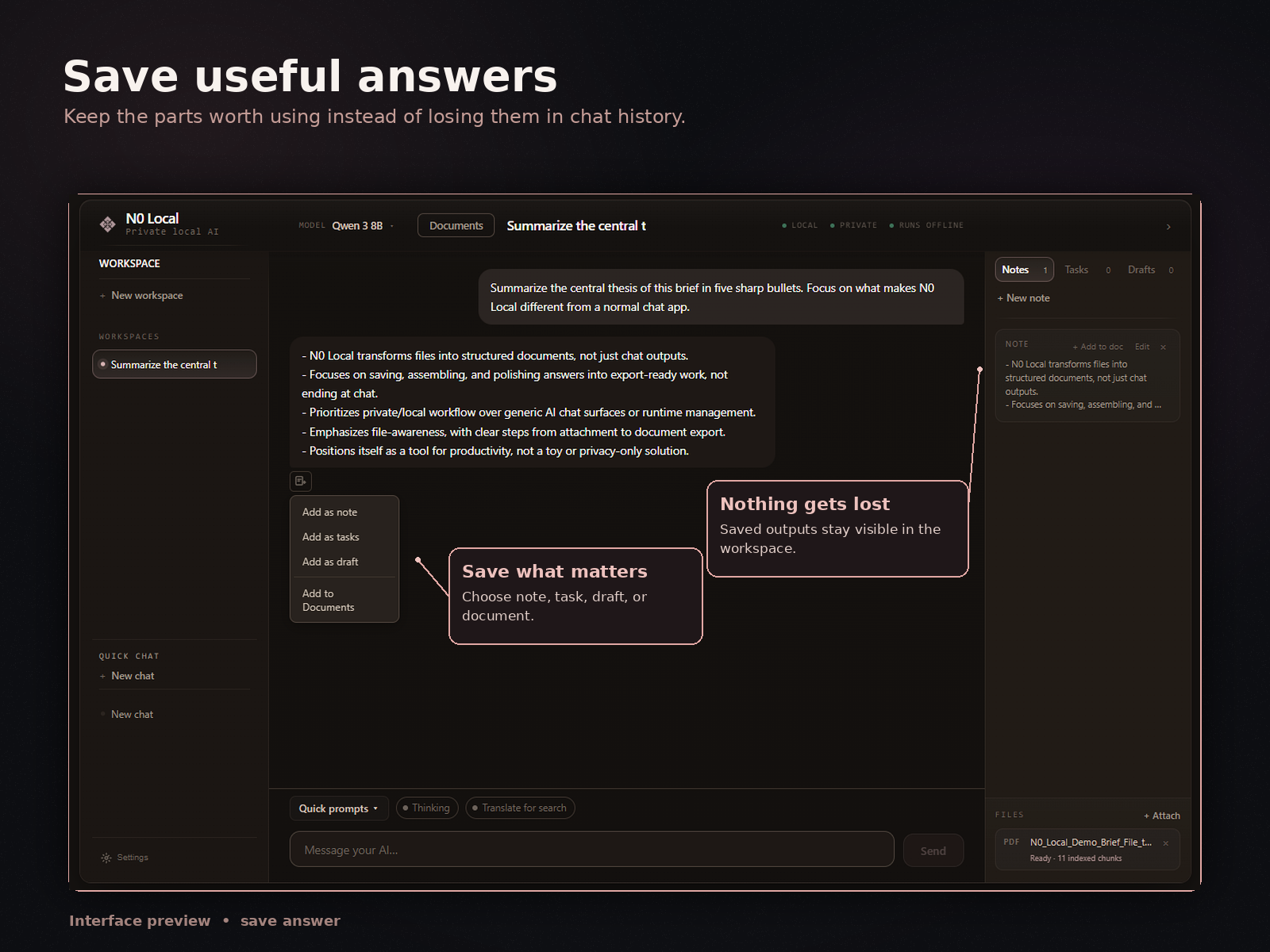
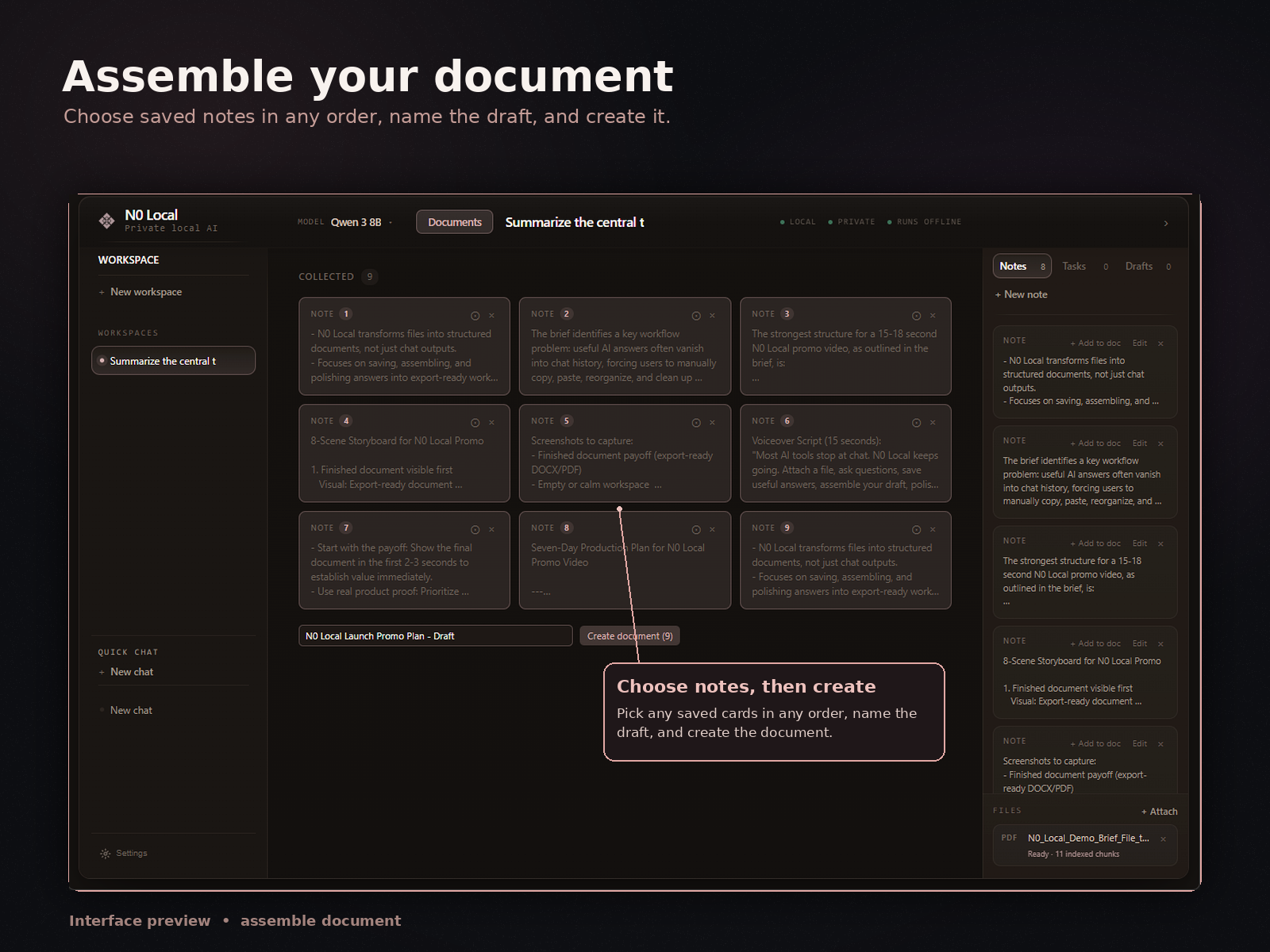
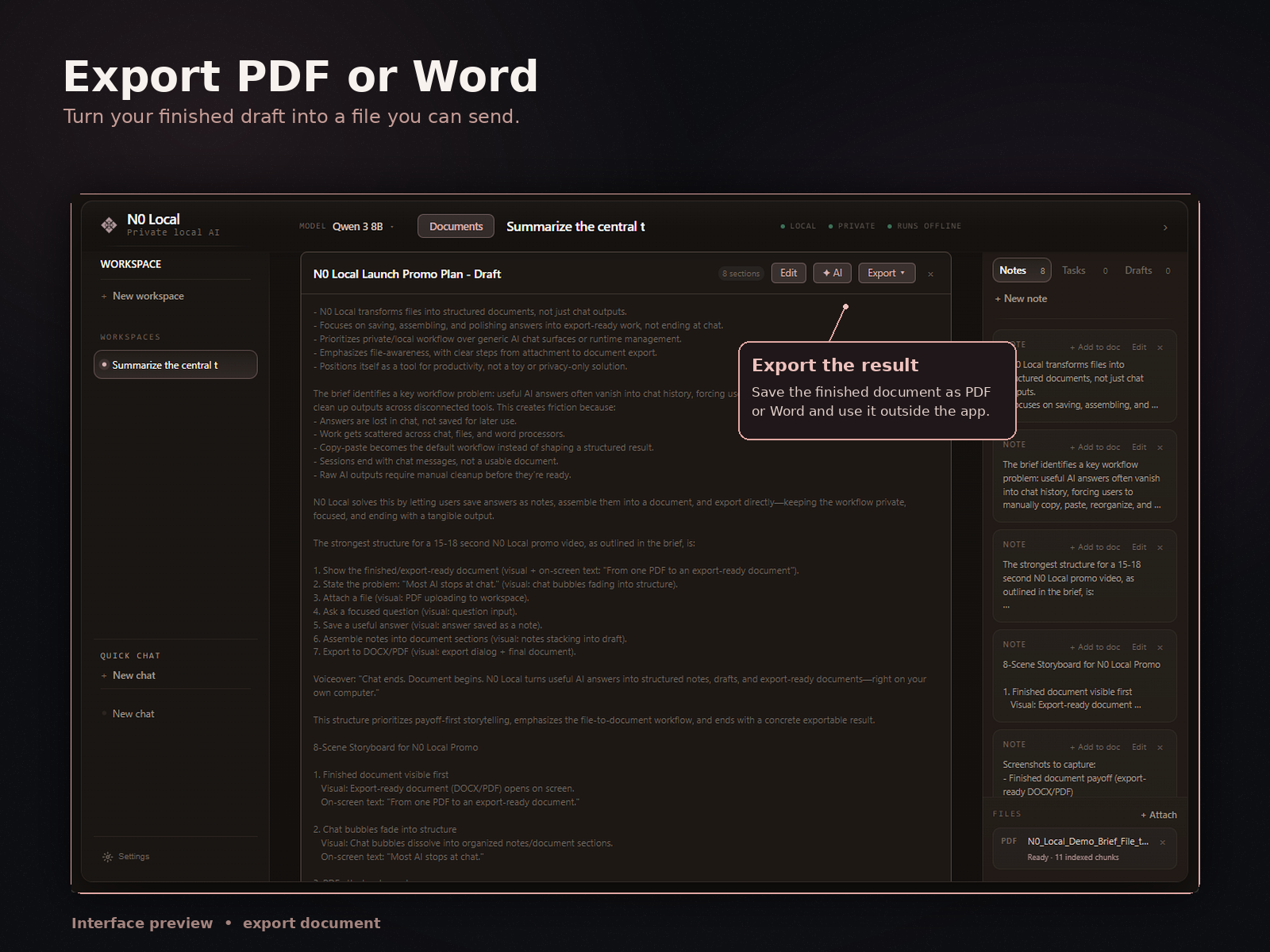
How N0 Local approaches this workflow
N0 Local is a private local AI workspace for Windows. It is built around the part of AI work that usually happens after the chat.
You can attach files such as PDFs, Word documents, notes, drafts, and reports. Then you can ask questions about them, save useful answers, collect those saved outputs, assemble a document, edit it, and export to Word or PDF.
The goal is not to replace Word. The goal is to give you a better workspace before Word: a place where useful AI answers can become working material instead of disappearing inside chat history.
What N0 Local is not
N0 Local is not a magic final-draft generator. It does not remove the need to review, edit, verify, and take responsibility for the final document.
It is also not a generic chatbot, a model lab, or a tool for infrastructure tinkering. The local AI layer is part of the foundation, but the product is built around document-heavy work: files, questions, saved answers, drafts, and export.
If all you need is one quick answer, a normal chatbot may be enough. If you are repeatedly turning AI output into documents, N0 Local is built for that workflow.
FAQ
Can I just use ChatGPT and Word?
Yes. For one short answer, ChatGPT plus Word may be enough. The workflow problem starts when you are collecting many useful answers, working from source material, and assembling a longer document.
Does N0 Local replace Word?
No. N0 Local is better understood as the workspace before Word. It helps you work with files, save useful answers, assemble a draft, and export the result to Word or PDF for further editing or sharing.
Does it work with PDFs?
N0 Local is designed for document-heavy work, including PDFs. It works best with normal text-based PDFs. Scanned or OCR-heavy PDFs should be treated carefully and may depend on current support.
Is it local or private?
N0 Local is a Windows desktop workspace built around local/private AI workflows. It runs on your Windows PC. Licensing, payment, update checks, and support may still use online services.
Does it automatically import my ChatGPT history?
No. N0 Local is its own workspace for working with files and saving useful outputs inside the app. Do not assume your ChatGPT or Claude history is automatically imported.
Does it export to Word or PDF?
Yes. The workflow is built around saving useful answers, assembling a draft, editing it, and exporting to Word or PDF.
Is there a free trial?
Yes. N0 Local offers a 7-day free trial. After purchase, there is no monthly subscription.
Try a workflow that does not end in chat
Use N0 Local to save useful AI answers, assemble a draft, edit your document, and export to Word or PDF from your Windows PC.
7-day free trial. No monthly subscription after purchase.